
What Is On-Page SEO? A Beginner’s Guide to Optimizing Your Website
Wondering why your website isn’t appearing on Google? On-page SEO helps search engines understand your pages and helps visitors find the information they’re looking for. Learn how titles, headings, content, links, and images can make your website more useful and search-friendly.
QUICK READ
Short on time? Here’s what you need to know.
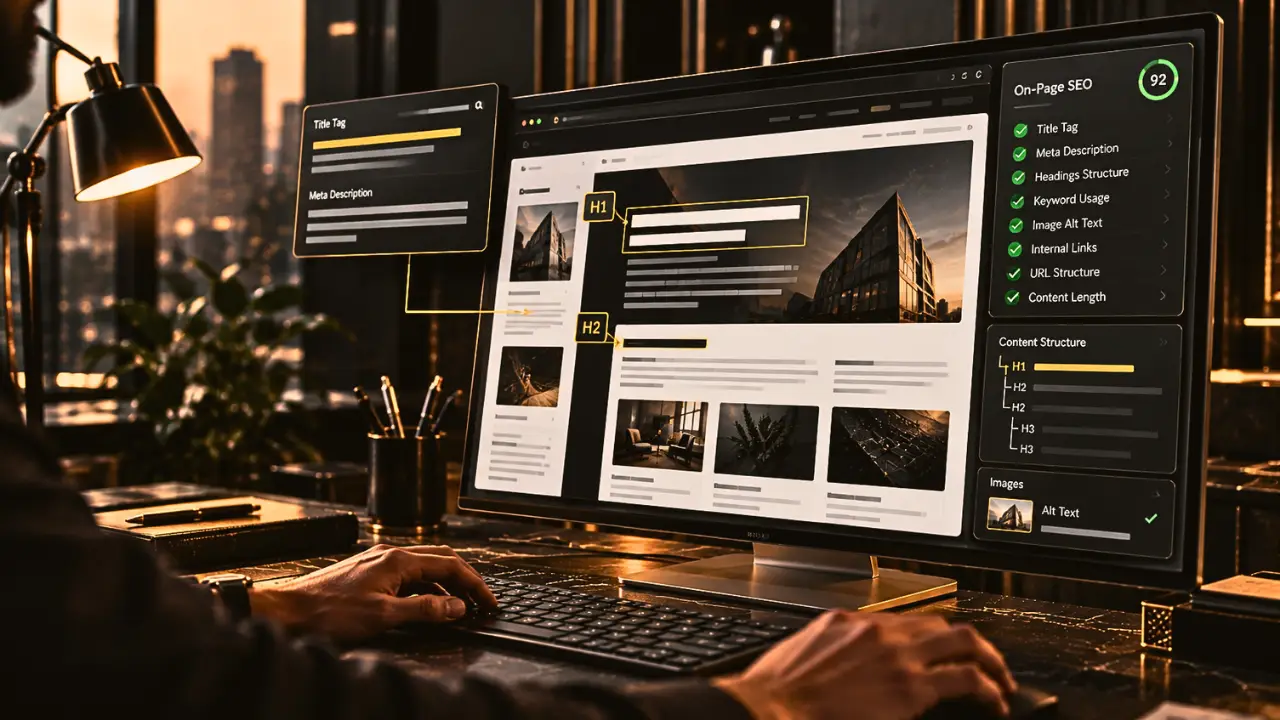
- What is on-page SEO? Improving the content and elements on your webpages so they are useful to visitors and easier for search engines to understand.
- What does it include? Page titles, headings, content, keywords, internal links, images, and URLs.
- Why does it matter? It helps search engines understand what your pages cover and helps visitors find relevant information.
- Do you need technical skills? Not for every task. Many on-page improvements start with better writing and a clearer page structure.
- What's the biggest mistake? Writing for search engines while forgetting the people who will actually read your content.
INTRODUCTION
Have you ever visited a website and struggled to find the information you needed?
Maybe the page had a confusing title, a wall of text, or headings that didn’t make much sense. You might have left within seconds.
Now imagine Google trying to understand that same page.
If the content is unclear, poorly organized, or doesn’t answer what someone is searching for, it becomes harder to create a useful experience for both visitors and search engines.
This is where on-page SEO comes in.
If you’ve already read our guide on [What Is SEO? Why Does It Matter in Digital Marketing?], you’ll know that SEO helps people discover relevant websites through search. On-page SEO focuses on what you can improve directly on your own webpages.
The good news? You don’t need to be a developer or an SEO expert to understand the basics.
Let’s go through the questions that matter most.
1. What Is On-Page SEO, and How Is It Different From SEO?
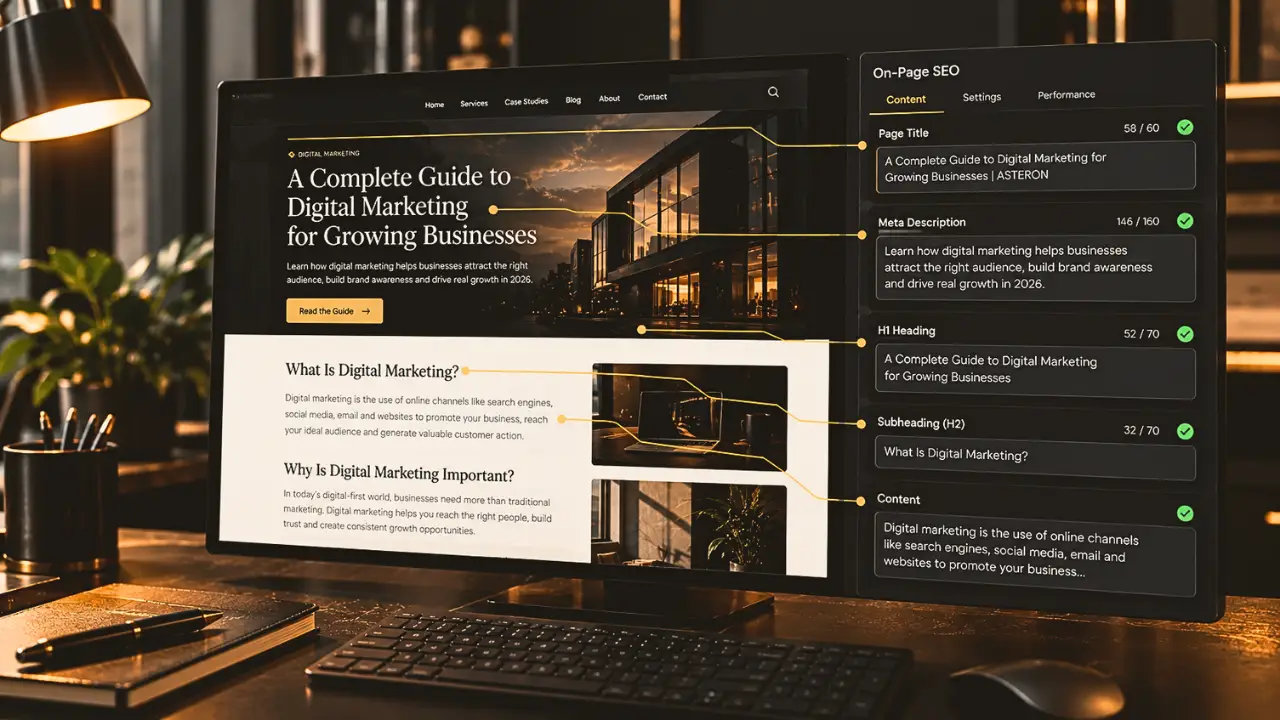
On-page SEO is the process of improving the content and elements on a webpage so that search engines can better understand it and visitors can get more value from it.
Think about a blog post explaining digital marketing.
If the page has a clear title, helpful headings, relevant information, descriptive images, and links to useful resources, readers can understand it more easily. Search engines can also use these elements to interpret the page.
That’s on-page SEO in practice.
But how is it different from SEO as a whole?
SEO is the broader process of improving a website’s visibility in organic search results. It includes several areas:
On-page SEO: Improving the content and elements on individual pages.
Technical SEO: Helping search engines access, crawl, and index your website.
Off-page SEO: Building your website’s reputation through relevant external signals, such as earned backlinks.
Local SEO: Improving visibility for searches with a local intent.
These areas can overlap, but each has a different focus.
For example, improving a blog post’s title is an on-page task. Fixing a crawling issue is generally technical SEO. Earning a relevant link from another website falls under off-page SEO.
The simple way to remember it: on-page SEO focuses on what you can improve directly on the page.
2. Which On-Page SEO Elements Should You Optimize First?
If you’re new to SEO, the number of things you can optimize might feel overwhelming. The easiest approach is to start with the elements that help people understand your page.
Is the page title important for SEO?
Yes. Your page title helps communicate what the page is about and may appear as the clickable headline in search results.
A useful title should be clear, relevant to the page, and specific enough to set the right expectation.
For example:
Too vague: SEO Tips
More descriptive: What Is On-Page SEO? A Beginner’s Guide
The second title tells readers what they’ll learn before they even open the page.
How should you use headings on a webpage?
Headings organize your content into sections, making it easier to scan and understand.
Use one clear main heading for the page, then use subheadings to break the content into logical sections.
For example:
- H1: What Is On-Page SEO?
- H2: Which On-Page SEO Elements Should You Optimize?
- H3: Is the Page Title Important for SEO?
You don’t need to force keywords into every heading. Write headings that accurately describe the content underneath them.
Do keywords still matter in on-page SEO?
Yes, but not in the way some outdated SEO advice suggests.
Keywords help you understand how people search for information and what they expect to find.
If you’re writing about on-page SEO, related terms might include title tags, headings, internal links, and content optimization. Use relevant language naturally where it helps explain the topic.
Avoid repeating the same phrase unnaturally just to make a page appear more optimized. This is often called keyword stuffing, and it can make content frustrating to read.
Do meta descriptions help rankings?
Meta descriptions are short summaries that search engines may use beneath a page title in search results.
They aren’t a direct Google ranking factor, but a well-written description can help people understand what a page offers and decide whether to click.
Keep it relevant, natural, and accurate. Don’t promise information the page doesn’t deliver.
Should you optimize your URLs too?
Yes, where practical.
A short, descriptive URL helps people understand what a page is about.
For example:
/blog/what-is-on-page-seo/
is easier to understand than a URL filled with random numbers or unnecessary parameters.
You don’t need to change an established URL just to make it shorter, though. Changing URLs can affect existing links and search visibility, so redirects and other precautions may be needed.
3. How Do You Write Content That Is Good for SEO and People?
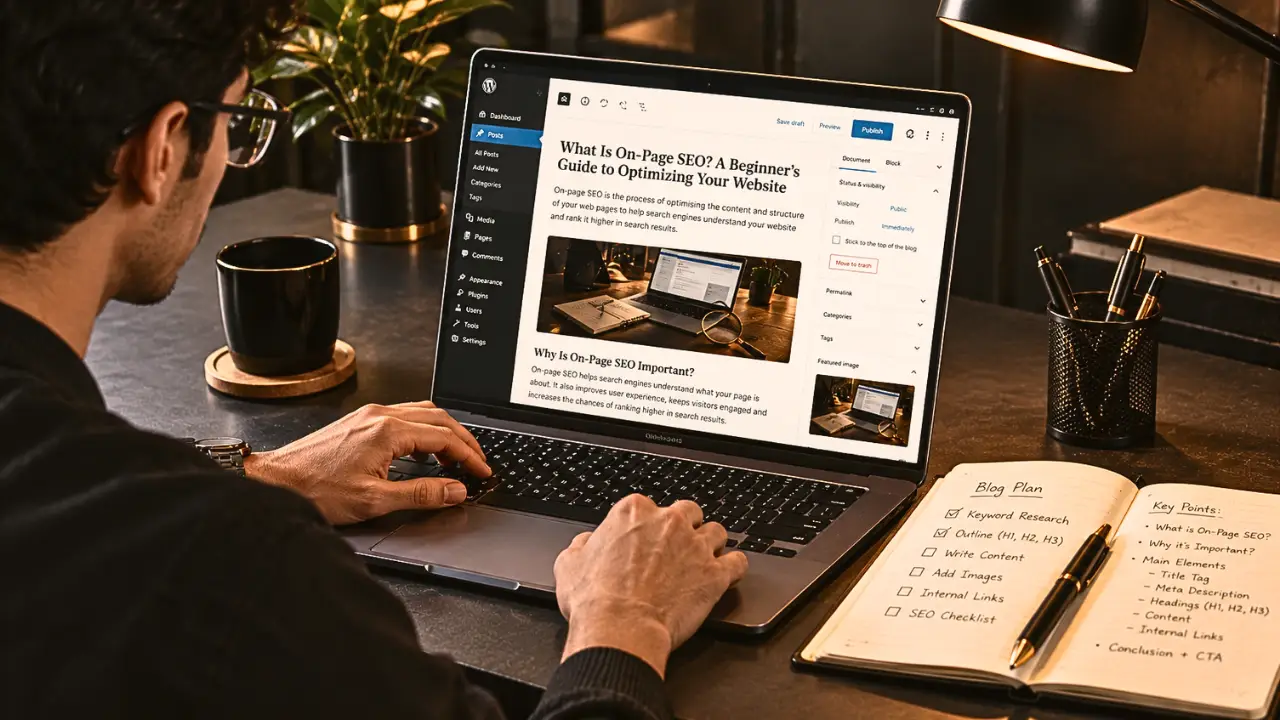
Here’s where many beginners get confused.
They assume SEO content means inserting keywords into an article as many times as possible.
It doesn’t.
Good on-page SEO starts with understanding what someone actually wants to know.
Imagine someone searches for “how to optimize a website for SEO.”
They probably want practical steps, not five paragraphs repeating the definition of SEO.
Before writing, ask yourself three questions:
What is the person searching for?
Are they trying to learn something, compare options, or find a service? Your content should match that intent.
Does the page answer their question properly?
Give readers useful information, clear explanations, and relevant examples. Don’t stretch a simple answer into a long article just to increase the word count.
Can someone find the important information quickly?
Break up long sections, use descriptive headings, and keep paragraphs manageable. Include examples or lists when they make the explanation easier to follow.
It’s also worth checking whether your content adds something useful beyond what’s already available. That might be a clearer explanation, original examples, practical experience, or a better step-by-step process.
You don’t have to sound complicated to demonstrate expertise.
In fact, if your audience is made up of beginners, simple language can be a real advantage.
Write to help someone first. Then optimize the page so search engines can understand it.
4. Do Images, Internal Links, and Website Structure Affect On-Page SEO?
Yes. These elements help make your pages easier to navigate, understand, and use.
How should you optimize images for SEO?
Images can explain ideas that would take several paragraphs to describe, but they should also be relevant to the page.
A few practical steps can help:
Use descriptive file names instead of generic names such as
IMG_001.jpg.Write useful alt text when an image conveys meaningful information.
Compress images to reduce unnecessary file size.
Choose appropriate dimensions and formats.
Make sure images display properly on mobile devices.
Alt text should describe the image’s purpose or content. It isn’t a place to cram in extra keywords.
For example, an image showing the four main parts of SEO could use alt text such as “Diagram showing on-page, technical, off-page, and local SEO.”
What are internal links, and why do they matter?
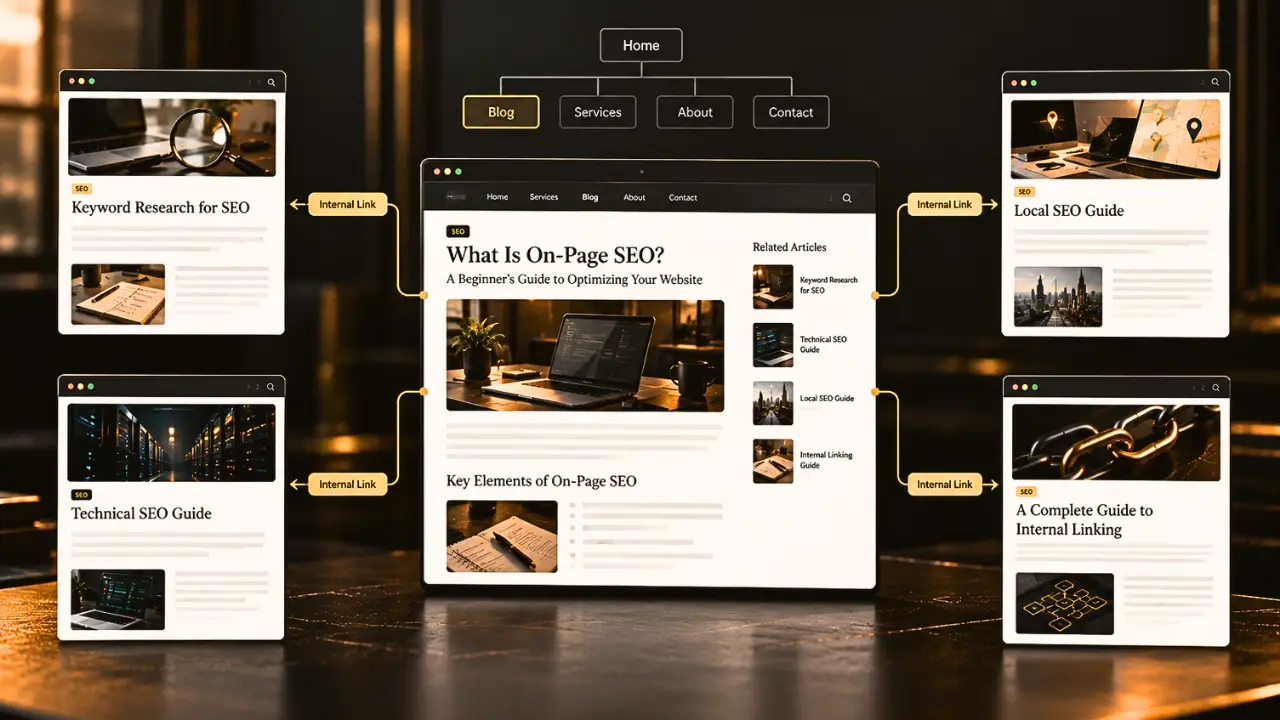
Internal links connect one page on your website to another page on the same website.
They help visitors discover related information and help search engines find and understand relationships between your pages.
Imagine you’re reading an article about on-page SEO. A link to a guide on keyword research would give you somewhere useful to go next.
The clickable words used for a link are called anchor text.
For example, instead of writing “click here,” you could write “learn how keyword research works.”
The second version gives readers a clearer idea of what they’ll find.
Internal linking is especially useful as your blog grows. Related articles can form a connected learning path instead of leaving each post isolated.
Does website structure matter?
Absolutely.
A well-organized website makes it easier for visitors to move between related pages and find what they need.
Use descriptive navigation labels, organize content logically, and link related articles where they genuinely help.
You don’t need to link every page to every other page. Focus on making the next useful step obvious.
5. What Are the Most Common On-Page SEO Mistakes Beginners Make?
You don’t need to get everything perfect from day one. But a few common mistakes are worth avoiding.
Stuffing keywords into every paragraph
Using a phrase repeatedly doesn’t automatically improve rankings. It can make your writing unnatural and less helpful.
Writing titles that don’t match the content
A title might attract attention, but if the page doesn’t deliver what it promises, visitors may leave disappointed.
Ignoring mobile visitors
Your content should be readable on a small screen, with comfortable text sizes, sensible spacing, and images that fit properly.
Forgetting internal links
A useful article shouldn’t be a dead end. Link to relevant pages when they provide additional context or help readers continue learning.
Copying competitors instead of helping your audience
Competitor research can show you what people are discussing, but simply rewriting existing articles doesn’t give readers much new value.
Optimizing once and never checking again
Content can become outdated, links can break, and search behaviour can change. Reviewing important pages periodically helps you identify opportunities for improvement.
You don’t need to fix everything at once. Start with your most important pages, prioritize issues that affect visitors, and work through improvements one step at a time.
KEY TAKEAWAY
On-page SEO is about making individual webpages clearer, more useful, and easier for search engines to understand.
That means paying attention to titles, headings, content, keywords, images, internal links, and the overall page experience.
You don’t need to optimize every element perfectly. Focus on answering the visitor’s question, organizing the information well, and making the next step easy to find.
Good on-page SEO isn’t about making a page look optimized. It’s about making the page genuinely useful and understandable.
CONCLUSION
If you’re just starting with SEO, don’t let the terminology put you off.
Begin with one page on your website.
Make its title clearer. Improve the headings. Check whether the content answers the question properly. Optimize the images and add relevant internal links.
Then move on to the next page.
Small, thoughtful improvements can help you build a stronger website over time. Just remember that on-page SEO doesn’t guarantee rankings on its own. Technical health, competition, relevance, and other factors also influence search visibility.
The goal is to make it easier for the right people to find your content and get something useful from it.
Want to Make Your Business Easier to Find Online?
At ASTERON, we help businesses build stronger digital foundations through SEO, content, social media, paid advertising, and digital strategy.
Want your business to be found by the right people?